Websites9 min read
Roofing Landing Page: What to Put on It Before You Run Ads
What a roofing landing page needs before you pay for clicks: one job per page, a clear first screen, a short form, real proof, speed, and Google ad rules.

In this article
- A landing page vs. your homepage
- What a roofing landing page needs
- 1. One job type per page, matched to the ad
- 2. A first screen that answers “am I in the right place?”
- 3. A short form, with fine print that matches what you’ll do
- 4. Proof that’s actually yours
- 5. A plain walk-through of what happens after they reach out
- 6. Speed on a phone
- 7. Fewer ways to wander off
- 8. Careful wording on storm and insurance pages
- Google’s rules for the page behind your ad
- How to tell if your roofing landing page is working
- Questions roofers ask about landing pages
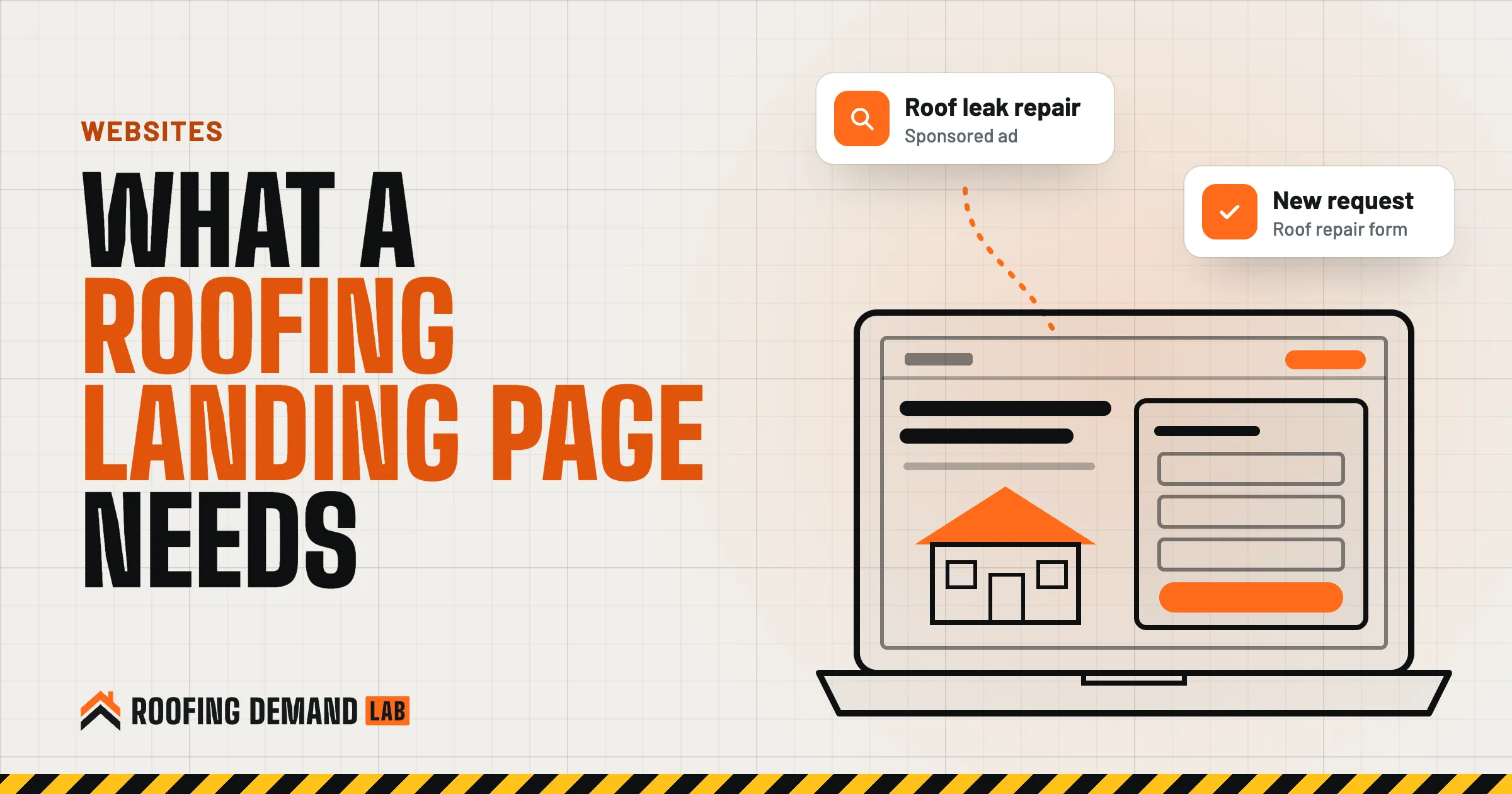
A roofing landing page is the page someone lands on after they click your ad, and it has one job: get that homeowner to call or fill out a form about the exact thing they searched for. It isn’t your homepage. It doesn’t tell your company story or list every service. A person who searched “roof leak repair” and tapped your ad wants to see roof leak repair, your phone number, and a reason to trust you, all before they scroll.
If Google Ads hasn’t worked for you, check where the clicks landed before you blame the ads. When a paid click goes to a homepage, the ad did its part and the page made the homeowner hunt.
The short answer
Build one roofing landing page per job type (repair, replacement, storm damage) that repeats the words from the ad, shows your phone number and a short form on the first screen, backs it up with your own job photos and real reviews, loads fast on a phone, and keeps the menu out of the way. Then track calls and forms so you can see which page earns its clicks.
A landing page vs. your homepage
Your homepage talks to everyone. A landing page talks to one person who just clicked one ad.
| Homepage | Roofing landing page | |
|---|---|---|
| Who it’s for | Anyone who finds your company | Someone who clicked one specific ad |
| What it covers | Every service, your story, your team | One job type, in your service area |
| Navigation | Full menu | Little or none, so the call or form is the obvious next step |
| What counts as success | Visitors finding what they came for | A call or a form from that ad’s visitors |
A strong service page can work as a landing page. What matters is that the page matches the ad, and a homepage almost never does.
What a roofing landing page needs
1. One job type per page, matched to the ad
Google’s advice on landing pages is blunt: “Choose a landing page that closely matches your ad and keywords” (Google Ads help on optimizing landing pages (opens in a new tab)). If the ad says roof repair, the page says roof repair. If the ad group is hail damage, the page is about hail damage.
So plan the ad groups and the pages together. Our post on roofing keywords groups the searches homeowners make by job type, and each group maps to one page.
2. A first screen that answers “am I in the right place?”
On a phone, the first screen is about the size of a postcard. Put four things on it:
- A headline with the job and the area, in plain words. “Roof leak repair in Tulsa and Broken Arrow” beats “Quality You Can Trust.”
- One line on what happens next, like an inspection with photos and a written estimate, if that’s what you actually do.
- A tap-to-call button with a number that rings someone who answers.
- A button that jumps to the form, or the first form field itself.
Google’s same help page says the page should make the action you want “quick and easy,” and warns: “Don’t make people hunt around for information they might need.” Keep the wording consistent, too. If the ad says “Book a roof inspection,” the button should say the same thing.
3. A short form, with fine print that matches what you’ll do
Ask for what you need to call someone back: name, phone, address or ZIP, and the job type. Save the questions about roof age and insurance for the call.
Then make sure the form’s fine print matches how you follow up.
Consent rules for calls and texts
If you plan to text leads or use an autodialer, consent matters. The FCC says its rules require a caller to get oral or written consent before making an autodialed or prerecorded call or text to a wireless number, and that “commercial texts require written consent” (FCC guide to robocalls and texts (opens in a new tab)). The FCC also notes that written consent can come through website forms. Say on the form how you’ll contact people, and have a lawyer check the wording if you’ll text or autodial.
4. Proof that’s actually yours
Give homeowners reasons to believe you’re real:
- Photos from your own jobs, ideally in the towns the ad targets
- Your license number, if your state issues one, and your insurance status
- Manufacturer certifications and warranties you actually hold
- A few real reviews, with the reviewer’s first name and town if they agreed
Google’s landing page advice includes “adding reviews that show real opinions from other customers.” That word “real” carries legal weight too. The FTC’s staff guidance on its reviews and testimonials rule says “a business that puts testimonials on its own website is disseminating them,” not just hosting them, so a fake testimonial on your landing page is your problem (FTC reviews and testimonials rule Q&A (opens in a new tab)). The FTC’s endorsement guidance adds that an endorsement “must reflect the honest opinion of the endorser” (FTC Endorsement Guides FAQ (opens in a new tab)).
So no stock photos passed off as your crew, no reviews written by your office manager, and no “John from Dallas” who doesn’t exist. If you’re new and don’t have reviews yet, show job photos and your license instead. That’s honest proof, and it’s something a careful homeowner can check.
5. A plain walk-through of what happens after they reach out
A short “here’s how it works” section tells a homeowner what they’re signing up for:
- You call or send the form Say who calls back and roughly when, if you can keep that promise.
- We inspect the roof Mention photos if you take them.
- You get a written estimate Say whether there’s any charge for the inspection.
- You decide No pressure is a real selling point, so only say it if it’s true.
Don’t put prices on the page unless you can stand behind them on every job. A range that turns out wrong at the kitchen table costs you more trust than no number at all.
6. Speed on a phone
Google points out that “Many of your customers will be visiting your website on a mobile device,” and lists keeping the mobile site quick as a best practice. For something more exact, Google’s Core Web Vitals give targets: aim for the main content to load (Largest Contentful Paint) “within the first 2.5 seconds,” keep Interaction to Next Paint “less than 200 milliseconds,” and keep layout shift “less than 0.1” (Google’s Core Web Vitals guide (opens in a new tab)).
Shrink drone and job photos before uploading them, cut anything that doesn’t help someone call you, and test the page on your own phone over a cell connection.
7. Fewer ways to wander off
A full menu gives a paid visitor a dozen ways to leave. On a landing page, keep the logo, the phone number, and maybe one link back to your main site. Skip the popups. Google’s help page specifically warns against “cluttering your site with too many ads or pop-ups.”
Your company name, service area, and a privacy policy link still belong on the page.
8. Careful wording on storm and insurance pages
Storm damage pages need the most care. The page that sells a hail inspection can’t wander into promises about what insurance will pay.
Insurance advertising rules
Some states regulate this directly. Florida’s statute defines a “prohibited advertisement” as a contractor communication that encourages a consumer to contact a contractor about making an insurance claim for roof damage, unless it includes specific disclosures about the deductible and insurance fraud in a set font size, and the rule covers e-mails and other electronic communication (Florida Statutes section 489.147 (opens in a new tab)). Other states have their own rules. Before a landing page mentions insurance, claims, or deductibles, check your state’s rules or ask a licensed attorney.
Google’s rules for the page behind your ad
Your landing page affects your ads in two ways.
First, it’s one of the three parts of Quality Score, along with expected clickthrough rate and ad relevance (Google’s Quality Score page (opens in a new tab)). Google defines landing page experience as “how relevant and useful your landing page is to people who click your ad” and rates it Above average, Average, or Below average against other advertisers whose ads showed for the same searches (landing page experience (opens in a new tab)). Quality Score is reported at the keyword level, so you can see which pages pull it down.
Second, the page has to meet Google’s destination requirements (opens in a new tab), or the ad can be disapproved. A few that trip up roofing sites:
- The page has to work. Broken pages and error codes count against you.
- The domain has to match. The domain in the ad’s display URL has to match the final URL people actually land on.
- Google has to be able to crawl it. Pages Google’s ad crawler can’t reach get disapproved.
- The content has to be yours. Google disapproves content “replicated from another source without adding value.” Copying a template’s filler text word for word is a bad idea.
How to tell if your roofing landing page is working
Judge the page by what visitors do, which means tracking before you spend.
- Track calls and forms as conversions Calls from the page, form submissions, and taps on the phone number. Our guide to Google Ads for roofers covers the call tracking setup.
- Change one thing at a time Swap the headline, or shorten the form, or move the reviews up. Change three things at once and you won’t know which one mattered.
- Listen to the calls If people keep asking the same question on the phone, the answer belongs on the page.
An honest note
A better landing page can help more of your paid clicks turn into calls, but nobody can promise a set number of leads from a page change, us included. Your market, your budget, your reviews, and how fast you call people back all play a part.
If you’d rather not build and test these yourself, every roofing website we build comes with service pages, and our Google Ads management sends each ad group to the page that matches it. Every monthly plan includes the website.
Questions roofers ask about landing pages
What is a landing page?
It’s the page a visitor lands on after clicking an ad, an email link, or a social post. For a roofer, it’s usually built around one job type, like roof repair or storm damage, with one goal: a call or a form. Any page can be a landing page, but a good one is made to match the ad that sends people there.
What makes a good roofing landing page?
It matches the ad, puts the job, the area, and a way to reach you on the first screen, and backs that up with your own photos and real reviews. It also loads fast on a phone.
Should I send Google Ads traffic to my homepage?
Usually not. A homepage covers everything, so someone who searched for one job has to look for it. Send each ad group to the page that matches it, whether that’s a dedicated landing page or a focused service page.
How much does a roofing landing page cost?
It depends on who builds it and whether it’s part of a full website. If you build it yourself on a website builder, the cost is mostly your time. With us, the website is included in every plan, starting with Foundation at $500 a month, and it comes with service pages for the work you do.