Social media9 min read
Roofing Facebook Ads: How They Work Under Meta's Housing Rules
Roofing Facebook ads work differently from Google. What Meta's housing rules allow, which ads fit roofers, and how to set up lead forms and retargeting.

In this article
- How Facebook ads differ from Google ads for a roofer
- Meta’s housing rules, in plain English
- Roofing Facebook ads that work inside those rules
- How to set up a roofing Facebook ad campaign
- See what other roofers in your area are running
- Facebook ads or Google ads first?
- Questions roofers ask about Facebook ads
Roofing Facebook ads can bring in inspection requests, but they don’t behave like Google ads. Nobody opens Facebook to look for a roofer. You’re showing up in the feed of someone scrolling past their cousin’s vacation photos, so the ad has to earn a stop on its own. And because Meta may treat a roofing ad as a housing ad, a lot of the targeting tricks you read about (one ZIP code, homeowners over 45, the street around your last job) may not be available to you at all.
That second part is where most roofing Facebook ad advice goes wrong. This guide covers what Meta’s housing rules allow and the ads that still work inside them.
The short answer
Facebook ads can work for roofers when they show real jobs, follow up with people who already visited your website, or speak to a real storm in your area. If Meta classifies your ad as housing, expect a minimum 15-mile radius, no ZIP code targeting, and no picking by age or gender. Build for a whole area, send leads to a fast follow-up, and use Google for the people already searching.
How Facebook ads differ from Google ads for a roofer
The two get lumped together as “paid ads,” but they reach people at different moments.
| What changes | Google Search ads | Facebook and Instagram ads |
|---|---|---|
| Who sees the ad | Someone searching “roof repair near me” | Someone scrolling who matches your audience settings |
| What the ad has to do | Match the search and win the click | Stop the scroll, then make the case |
| What works best | Text that answers the search | Photos and short videos of real roofs |
| Where it fits | Catching people who need a roofer today | Staying in front of people before they need one |
Google catches demand that already exists. Facebook puts you in front of homeowners who aren’t looking yet, so the ad itself matters more.
Meta’s housing rules, in plain English
Meta requires advertisers to identify certain ads as a Special Ad Category. Its ad standards say that U.S. advertisers, and anyone targeting the U.S., Canada, or parts of Europe, must self-identify when running housing, employment, or financial products and services ads, and run them with approved targeting options (Meta’s discriminatory practices policy (opens in a new tab)). Meta’s documentation doesn’t list roofing by name, but home-related ads can end up in the housing category, so it’s safest to plan as if yours will.
Here’s what Meta’s developer documentation says a housing campaign can’t do (Meta’s special ad category rules (opens in a new tab)):
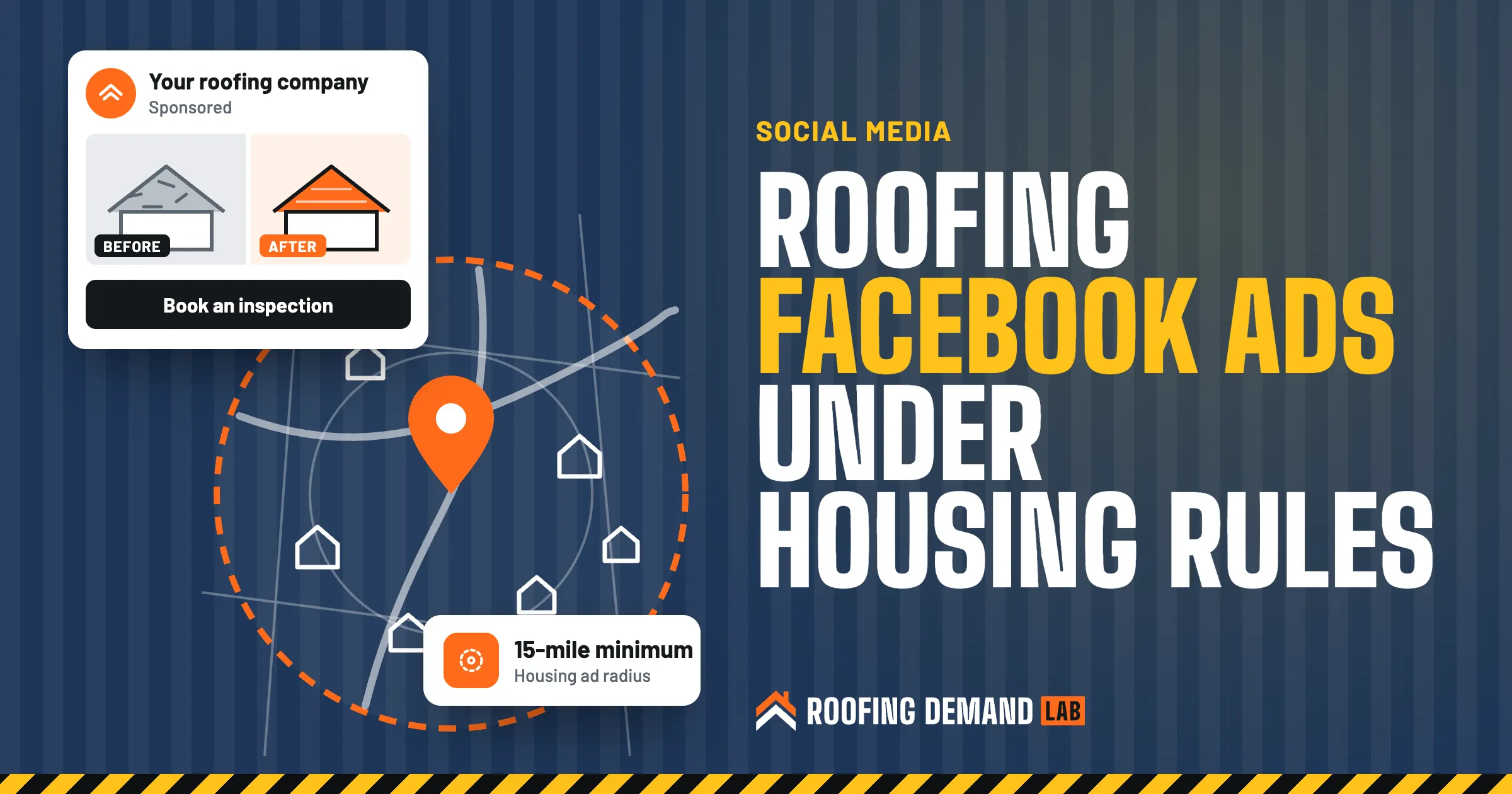
- Target a radius smaller than 15 miles around a city, address, or pin in the U.S. and Canada
- Target by ZIP code or neighborhood, or exclude locations
- Pick an age range or a gender (ages are generally fixed at 18 through 65+, all genders)
- Use demographic or behavior targeting, or exclude interests
- Use lookalike audiences
Housing ad rules
Don’t try to dodge the category by leaving it off. Meta says ads stay subject to review and re-review at all times (Meta’s Advertising Standards (opens in a new tab)), so an ad that slips through today can get pulled later. And never promise a client or a partner that an ad will reach one street or one ZIP code. Under these rules, it can’t be aimed that way.
What this means in practice: your ad reaches everyone in at least a 15-mile circle, renters and homeowners alike. So the creative does the sorting. An ad that shows a reroof on a two-story house in a town people recognize will mostly get attention from people who own a house like that.
Roofing Facebook ads that work inside those rules
These five fit a 15-mile audience well. Start with the one you have the best material for.
1. Before-and-after ads from real jobs
This is the bread and butter. A worn, curling roof next to the finished one, with the town named in the text: “New roof in Maple Grove. Tear-off to final cleanup in two days.” People recognize their own area, and a real job is more believable than any stock photo.
Get the homeowner’s OK before you use photos of their house, and keep house numbers out of the frame. Take the “before” shot on every job. You can’t go back for it later.
2. Retargeting people who visited your website
Most people who land on a roofing website leave without calling. Retargeting shows them your ads again on Facebook and Instagram over the next few weeks.
It runs on the Meta Pixel, which Meta describes as a piece of code that tracks visitor activity on your website so you can measure ads and build custom audiences for targeting (Meta Pixel documentation (opens in a new tab)). Meta’s special ad category documentation drops lookalike audiences from housing campaigns but still lists custom audiences as supported, with a check for whether a given customer list is eligible, so expect some limits. Install the pixel before you spend a dollar on ads. It needs time to collect visitors.
If your site is slow or confusing on a phone, retargeting just brings people back to the same problem. Every roofing website we build starts with tap-to-call and a short form for that reason.
3. Storm campaigns after real weather
When hail or high winds actually hit your area, a short campaign telling people what to look for and how to book an inspection can be timely and useful. Keep it honest: name the storm and the date, show what damage looks like, and skip fake countdown timers.
Insurance claim rules
Be careful how storm ads talk about insurance. Some states restrict it. Florida, for example, treats written or electronic ads that encourage homeowners to contact a contractor to make a roof damage insurance claim as prohibited unless they carry specific disclosures, and it bars gifts or deductible waivers in exchange for an inspection or claim (Florida Statutes 489.147 (opens in a new tab)). Check your state’s rules, or ask an attorney, before any ad mentions claims, deductibles, or “free roofs.”
4. Lead ads with a short form
Meta’s lead ads let people send their information without leaving the app, and Meta says the leads can be downloaded from Leads Center in Meta Business Suite or sent to a CRM (Meta lead ads guide (opens in a new tab)). Fewer taps can mean more form fills. It can also mean more people who forget they filled one out.
So keep the form short and add one question that makes people stop and think, like “What’s going on with your roof?” with a few choices. Then call fast. A lead that sits in Leads Center until Friday is a lead someone else called on Tuesday. Our roofing sales guide covers what to do once you have them on the phone.
Calling and texting leads
A form fill isn’t automatic permission for marketing texts. FCC rules require consent before autodialed or prerecorded calls or texts to a cell phone, and commercial texts require written consent (FCC guide to robocalls and texts (opens in a new tab)). Put clear consent wording on the form if you plan to text, and keep a record.
5. Short videos from the job site
A short clip of old shingles coming off, or a magnet sweep of the driveway at the end of the day. Phone video is fine. What makes it work is that it’s obviously a real roof, not a template.
Add captions so the video makes sense with the sound off, and put your company name in the first few seconds.
How to set up a roofing Facebook ad campaign
- Get the basics in place A Facebook Business Page with your real name, logo, and service area, plus an ad account you own. If an agency runs it, they should work inside your account, not theirs.
- Install the Meta Pixel Put it on every page of your website and set it to record form submissions, so you can see which ads lead to inspection requests.
- Pick the Special Ad Category If your ad could count as housing, choose Housing when you create the campaign so the targeting is set up within the rules from the start.
- Set the location Choose the towns you want work in, each with at least a 15-mile radius. If that pulls in areas you don’t serve, say in the ad where you work.
- Write the ad around one job or one message One before-and-after, one storm, one offer. Not a list of every service you sell.
- Choose where leads go A lead form, or a landing page that matches the ad. Not your homepage.
- Submit and wait for review Meta says its ad review is typically completed within 24 hours, though it can take longer (Meta’s Advertising Standards (opens in a new tab)).
- Track it to signed jobs Leads aren’t the score. Write down which ad each lead came from, and after a month or two, count which ones turned into contracts.
See what other roofers in your area are running
Meta’s Ad Library offers a view of the ads currently running across its apps (Meta’s Advertising Standards (opens in a new tab)). Search for “roofing” and look at what shows up near you. You’ll see which roofers run ads and what offers they lead with. Use it to find what’s missing in your market, not to copy anyone’s ad.
Facebook ads or Google ads first?
For most roofers, we’d start with Google. Your Google Business Profile and Google search ads reach people who already need a roof, and that’s usually the shorter path to a phone call. Our roofing PPC page covers how we set those up.
Facebook earns its spot once you have three things: a steady supply of job photos, a website worth sending people back to, and someone who calls leads quickly. Then it does what Google can’t, keeping your name in front of a whole area between roofs. And it pairs well with the offline stuff, like yard signs on every job.
At Roofing Demand Lab, Facebook and Instagram ads are an add-on you can buy with a monthly plan or on their own. You pay Meta directly for the ad spend, and we build and run the campaigns: before-and-after ads from your finished jobs, retargeting, and storm and seasonal campaigns. The management fee is quoted after a quick call. More on the digital marketing page.
An honest warning
Nobody can promise you a cost per lead on Facebook, us included. Results depend on your market, your photos, your budget, and how fast you call people back.
Questions roofers ask about Facebook ads
Do Facebook ads work for roofers?
They can, especially for before-and-after ads, retargeting website visitors, and storm campaigns. They work less well as a replacement for Google, because people on Facebook aren’t looking for a roofer when they see your ad. Most roofers do best using Facebook alongside Google, not instead of it.
How do I get roofing leads on Facebook?
Run ads built from your own finished jobs, aimed at the towns you serve, and send people to a short lead form or a matching landing page. Install the Meta Pixel so you can retarget visitors to your website. Then call every lead fast, since a form that takes seconds to fill out is also easy to forget.
How do I advertise my roofing business on Facebook?
Set up a Business Page and an ad account you own, install the Meta Pixel, and create a campaign in Ads Manager. If the ad could count as housing, choose that Special Ad Category so you follow Meta’s targeting rules. Start with one simple ad, such as a before-and-after from a recent job, and build from there.
Is $10 a day enough for Facebook ads?
There’s no single right number, because it depends on your market and how many towns you target. A small daily budget spread across a 15-mile radius reaches fewer people, so results take longer to judge. Pick a budget you can hold steady for at least a few weeks, then decide based on signed jobs, not clicks.